Their phone is the pager
They scan after paying, the cashier taps Ready, and their phone rings. No app to download, no plastic pagers. On Android it vibrates too.
On iPhone, the ticket page rings and a WhatsApp message can alert them.
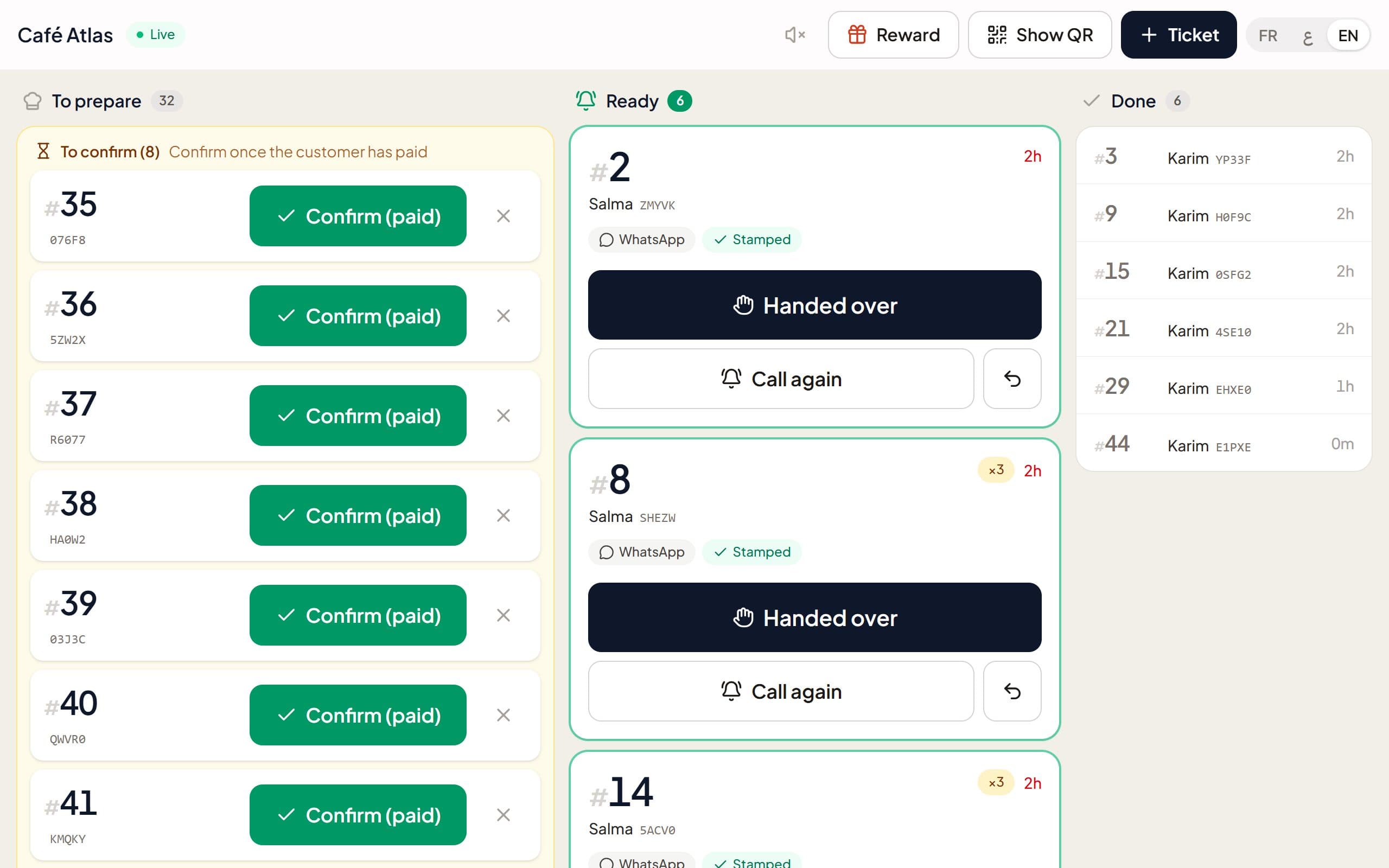
Customers scan at the counter. Their phone rings when the order is ready, and every visit earns a stamp.
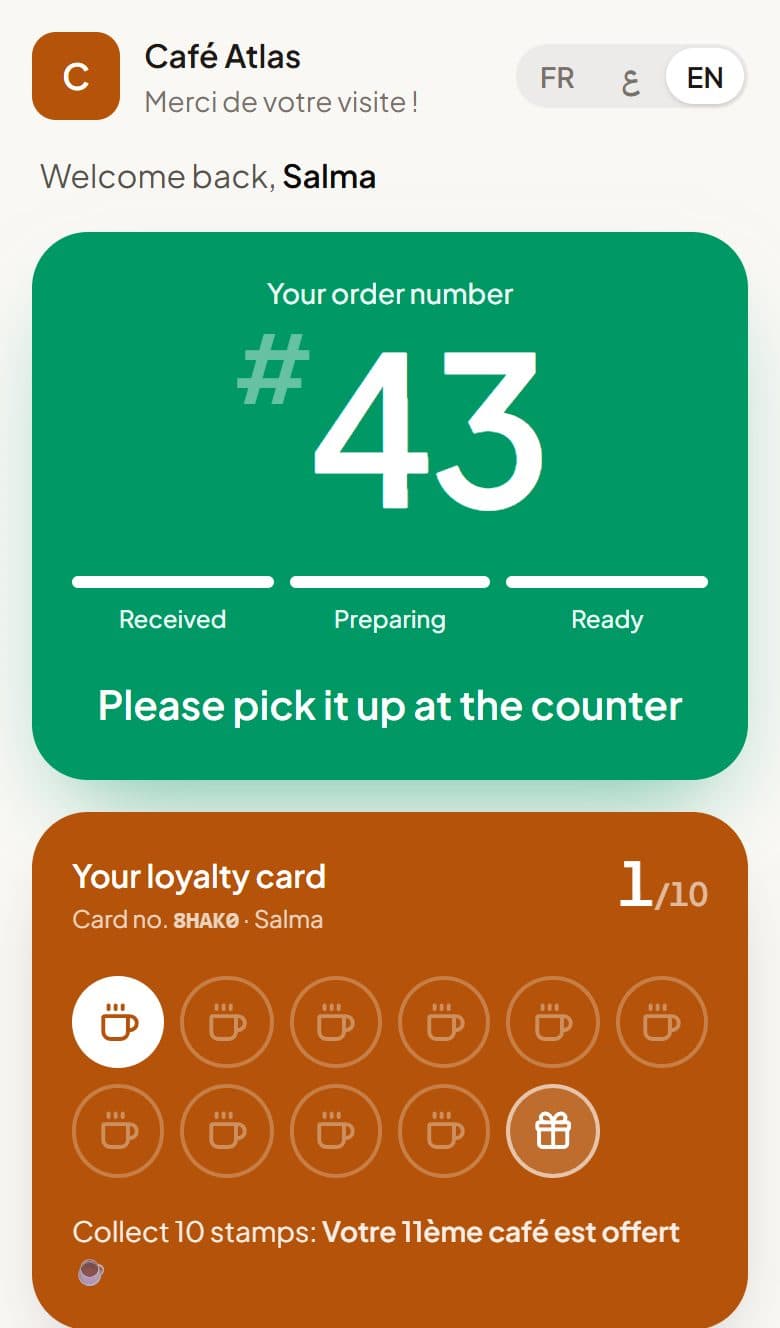
Loyalty card
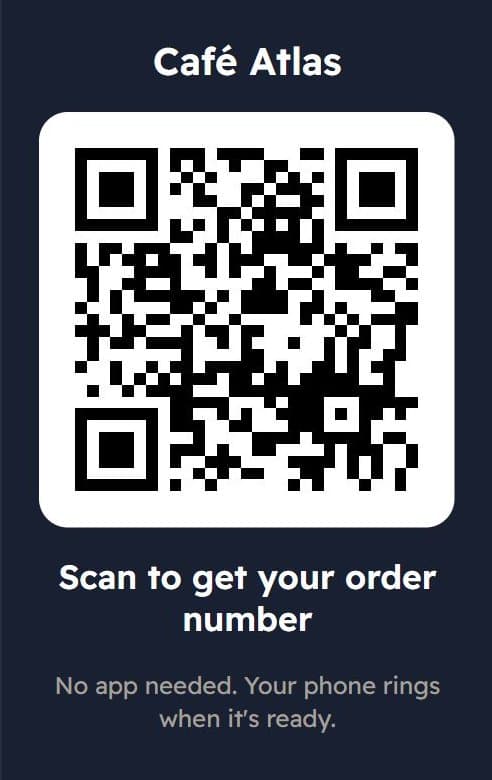
After paying, the customer scans your QR code. Their order number appears right away, no app to install.
They sit down or step outside. The ticket on their phone and the numbers on your TV follow the order live.
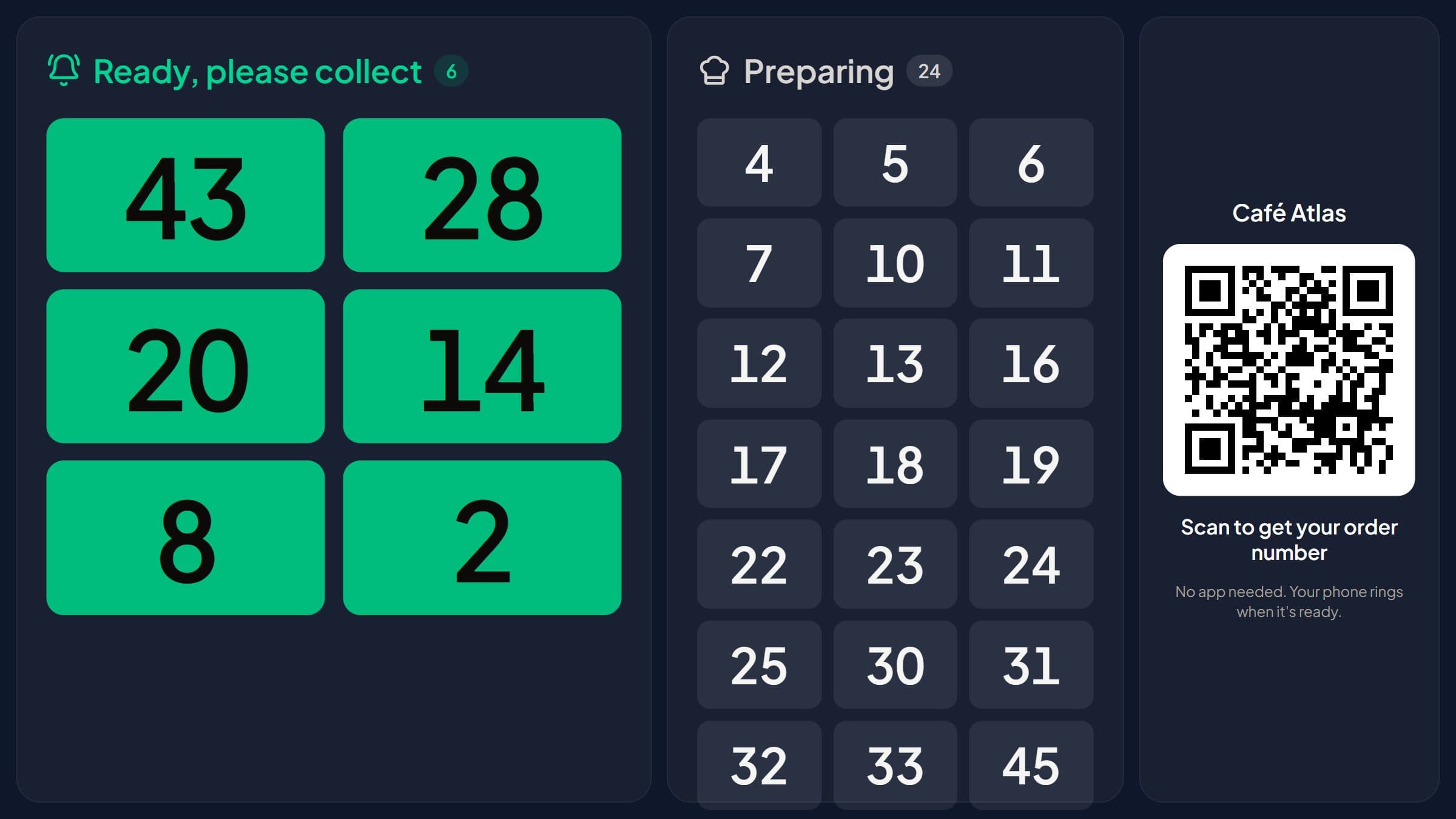
The cashier taps Ready. The phone rings (and vibrates on Android), and the number moves to Ready on the TV.
Every paid order adds a stamp to their card, saved with one WhatsApp message, until the free one.
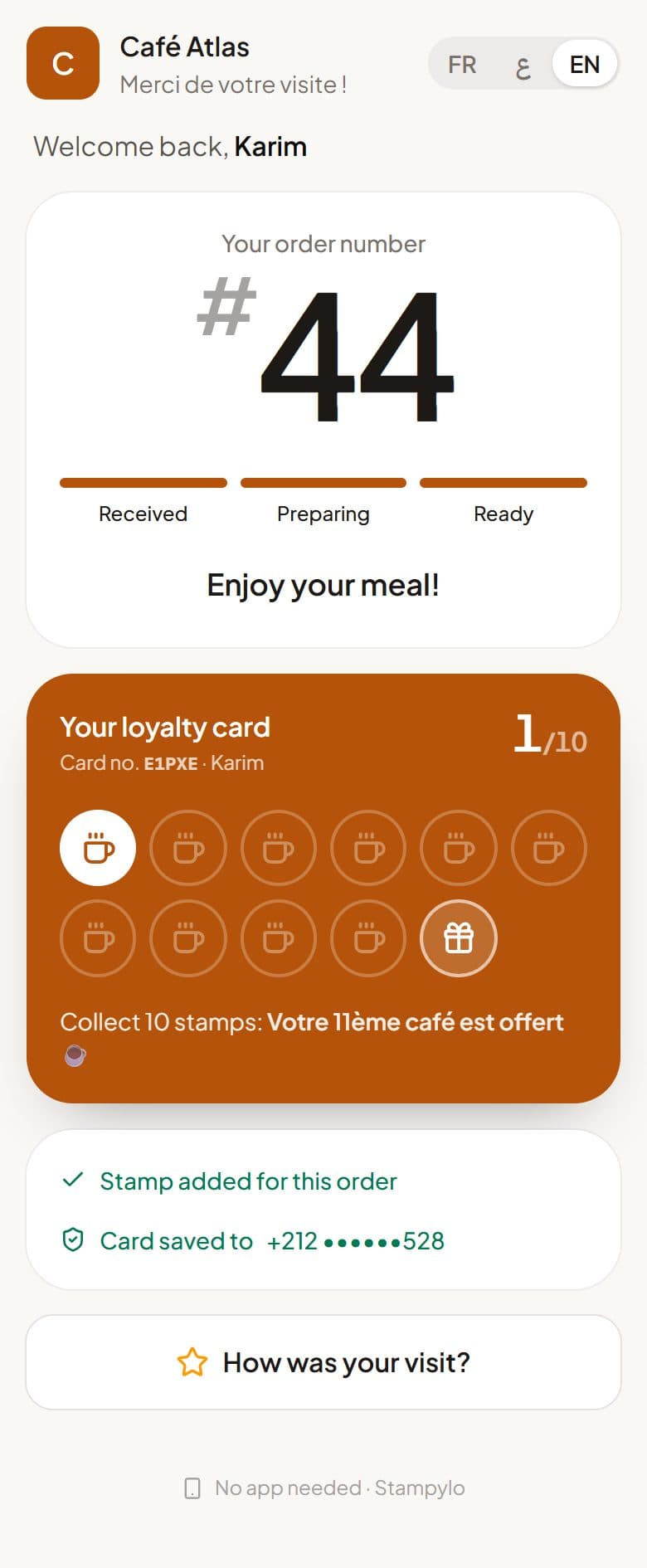
They scan after paying, the cashier taps Ready, and their phone rings. No app to download, no plastic pagers. On Android it vibrates too.
On iPhone, the ticket page rings and a WhatsApp message can alert them.
Saved in one tap. The stamp balance updates by itself.
Apple WalletComing soon
Order numbers on any Smart TV, read out loud in Arabic, French or English. The cashier screen opens with a simple link.
An instant confirmation that keeps their points for life, an order-ready message, and automatic reminders for customers who stopped coming.
A stamp only lands when the cashier confirms the order: buy 10, the 11th is free. A daily check flags anything unusual.
Happy customers go straight to your Google Maps review page. Every rating also reaches you privately, so you can fix problems fast. The Google button stays open to everyone.
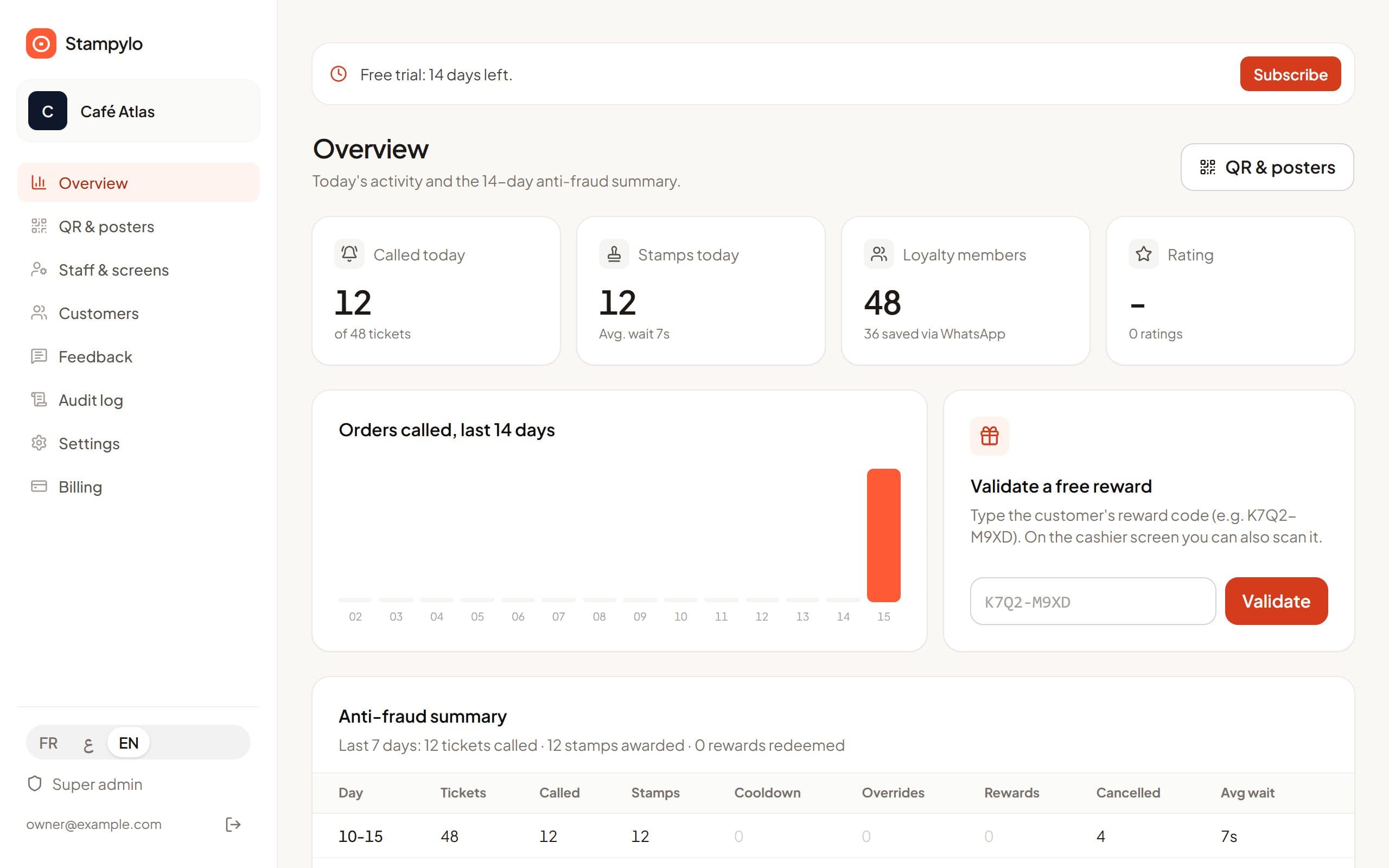
The dashboard shows every visit, every stamp and every reward, and brings lapsed customers back on its own.
For less than a coffee a day, your customer's phone rings and they come back on their own.
Goodbye: Plastic pagers that break, get lost and need charging every day
Instead: The customer's phone rings, nothing to buy or charge
Goodbye: Shouting names at the counter
Instead: The number shows up and is announced on the TV
Goodbye: Paper loyalty cards left at home
Instead: The card lives on their phone and brings them back
All-in-one
MAD 599for 3 months
That's less than MAD 7 a day.
$70for 3 months
That's less than $1 a day.
€68for 3 months
That's less than €1 a day.
MAD 1,990for 1 year
Save MAD 406, 2 months free
12 months for the price of 10. That's less than MAD 6 a day.
$220for 1 year
Save $60, 2 months free
12 months for the price of 10. That's less than $1 a day.
€200for 1 year
Save €72, 2 months free
12 months for the price of 10. That's less than €1 a day.
7-day free trial, no card needed.
Ready in 2 minutes. No commitment. Set up your page, add your logo and print your QR code yourself.
After signup, pay by bank transfer to Attijariwafa bank or CIH Bank from your dashboard, or with a prepaid activation code.
No. They scan the QR code with the camera and everything happens in the browser, on Android and iPhone.
Tapping Enable alert keeps the screen awake and turns on a loud alarm. Android phones and iPhone web apps added to the home screen also get a notification.
The cashier creates a ticket in one tap and the number appears on the TV, like a classic pager.
Every stamp is tied to a real order and every action is logged with the staff link that did it. The dashboard flags unusual days.
A few minutes. Create your account, print your QR poster and open the cashier link on a tablet or phone.
After you sign up, choose your plan in your dashboard and pay by bank transfer (Attijariwafa bank or CIH Bank). Send the receipt on WhatsApp and your account is activated. A prepaid activation code also works.
Set up your counter in a few minutes and watch how your customers react.
Start free trial