How a QR code loyalty program works
How a QR code loyalty program works for a small café
A QR code loyalty program replaces the paper punch card with a stamp card on the customer's phone. It looks simple, but where the QR code sits and who scans it decides how easy it is to cheat. This guide explains the two common designs, the risks of each, what free plans usually hold back, and how Stampylo handles it.
14-day free trial, no credit card.
| Criterion | Staff scan customer QR | Customer scans counter QR | Stampylo |
|---|---|---|---|
| Who adds the stamp | Staff member | The customer's scan | Stampylo, when the order is confirmed Ready |
| Work at the register | One extra scan per sale | None | Tap Ready, already part of the order flow |
| Main fraud risk | Stamps added without a sale | Photo of the code reused | A scan alone gives no stamp |
| Protection | Logs per staff member | Rotating code, if offered | Real order required, optional QR that changes every 30 seconds, logs per screen link, daily check |
How does a QR code loyalty program work?
Every QR code loyalty card follows the same loop. The customer gets a digital card, usually without installing an app. Each visit adds a stamp. After a set number of stamps, the customer gets a reward, like a free coffee.
The difference between systems is the moment the stamp is added. Either a staff member scans something on the customer's phone, or the customer scans a code at the counter. That one choice shapes speed at the register, fraud risk and how much your staff has to do.
- Join: the customer opens the card in the phone browser or saves it to a wallet app.
- Earn: one scan per visit adds a stamp, the digital version of a punch.
- Redeem: when the card is full, the reward is claimed at the counter.
- Repeat: the card resets and the customer starts again.
Design 1: staff scan the customer's QR code
Here each customer's card shows a personal QR code. At the register, a staff member scans it with a tablet or phone and taps to add a stamp. This is the closest thing to a classic QR code punch card: the staff member holds the punch.
It works well when the line is short and staff are careful. During a rush it adds a step to every sale, and someone has to remember to do it.
- Risk: a staff member adds stamps for friends, or for themselves, without a sale.
- Risk: extra stamps get added by mistake when the line is long.
- Fix: give each staff member their own access and keep a log of who added which stamp.
- Fix: review days with unusually many stamps compared with sales.
Design 2: the customer scans the counter QR code
Here the café shows one QR code at the counter, on a poster or a screen. The customer scans it with the phone camera and the stamp lands on their card. Staff do nothing, which is why many cafés like it.
The weak point is that a printed code never changes. Anyone can take a photo of it.
- Risk: a customer photographs the poster and scans it again from home or from the next table.
- Risk: the photo gets shared in a group chat and strangers collect stamps without buying.
- Fix: a code that changes every few seconds on a screen, so a photo stops working.
- Fix: link the stamp to a real order, not just to a scan.
QR code loyalty program free plans: what they usually limit
Many tools advertise a QR code loyalty program free plan. Free can be fine for testing, but read what is held back before you print posters. Typical limits in this category are a cap on customers, scans or card actions per month, fewer staff accounts, fewer reward types, and messaging or notifications reserved for paid plans. Some free plans also show the vendor's branding on your card.
One example: BonusQR's free plan page lists unlimited customers and visits, seven loyalty schemes and Apple and Google Wallet at 0 euros. Its Basic plan, at 19 euros a month, adds push and email notifications and 5 staff accounts plus a manager (bonusqr.com, checked on 2026-10-24). Limits change often, so check the vendor's own pricing page on the day you sign up.
- Ask: is there a monthly cap on customers, scans or stamps?
- Ask: how many staff or screens can I use?
- Ask: can I message customers who stopped coming, and at what cost?
- Ask: what happens to my customers' cards if I stop paying?
How Stampylo does it
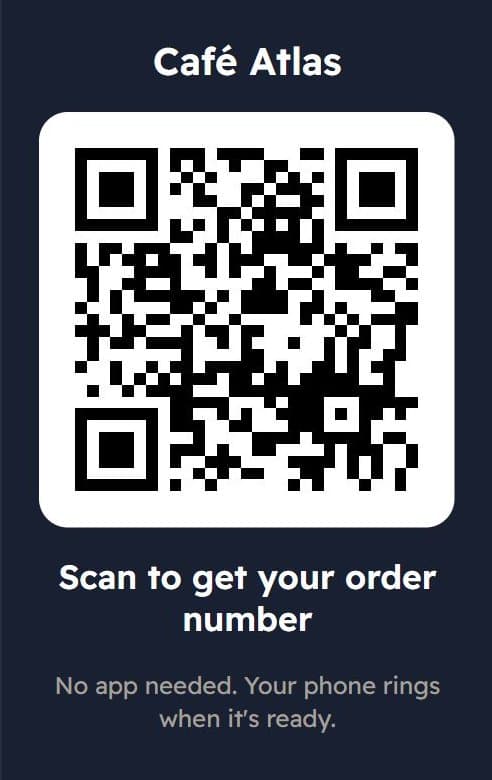
Stampylo uses the counter QR design, but the stamp does not come from the scan alone. The customer pays first, then scans the counter QR with the phone camera and gets an order number for the day. The ticket page shows the status, how many orders are ahead and an estimated wait. When the cashier screen, or the kitchen screen if you choose that the kitchen marks orders ready, taps Ready, the customer's phone rings and the order is confirmed. Only then is a stamp added. No confirmed order, no stamp.
The card is a simple "buy N, get 1 free" stamp card. You choose N and the reward, with one reward per business, no points and no tiers. Rewards are redeemed at the counter with a 6-digit code.
- Optional rotating QR: the screens can show a QR that changes every 30 seconds, so a photo of it stops working within a minute.
- Every action is logged with the screen link that did it, and a daily check flags abnormal days.
- Screen links open on any tablet or phone with no password, and you can revoke one at any time.
- The card is saved with one WhatsApp message and can be added to Google Wallet, where it updates itself.
- Apple Wallet is not available yet. iPhone customers keep the card through WhatsApp or the browser.
- No app for customers or for you, no hardware to buy, unlimited orders, screens and customers.
- No POS integration: Stampylo does not connect to Square, Toast or other registers.
Limits to know before you start
On iPhone, the ticket page rings only while it stays open on screen. The "Enable alert" button keeps the screen on with a loud alarm. Push notifications arrive on Android, and on iPhone only if the page was added to the home screen. Customers whose card is saved on WhatsApp also get one "order ready" message.
Customers without a smartphone are not left out: the cashier creates a ticket in one tap and the number shows on the TV screen, if you use one.
Starting from the US, UK, Canada or Australia
Stampylo is made by Morocode LLC (Wyoming, USA) and serves Morocco first. You can still use it anywhere. Start with the 14-day free trial, no card needed. After the trial, you pay by international bank transfer in USD or with a prepaid activation code, and we help on WhatsApp. There is no online card payment and no Apple Pay today.
There is one plan: $15 per month, $39 for 3 months or $149 per year. The app is available in English, French and Arabic.
Questions
How does a QR code loyalty program work?
The customer gets a digital stamp card on the phone. Each visit adds a stamp, either when staff scan the customer's QR or when the customer scans a counter QR. A full card gives a reward.
Is a QR code punch card safer than a paper one?
It can be. Paper punches are easy to fake. A digital card can log every stamp and, with a rotating code or a stamp tied to a real order, a photo of the QR is useless.
Do customers need to download an app?
With Stampylo, no. The card works in the phone browser on Android and iPhone, and can be saved with one WhatsApp message or added to Google Wallet.
Can customers add the card to Apple Wallet?
Not yet with Stampylo. Apple Wallet is coming. Google Wallet is available today.
Is there a free QR code loyalty program?
Some vendors offer free plans with limits on volume, staff or features. Stampylo has a 14-day free trial with no card, then one paid plan.
Can I use Stampylo outside Morocco?
Yes. Start the free trial, then pay by international bank transfer in USD or with a prepaid activation code. Help is on WhatsApp.
How a QR code loyalty program works for a small café
Free trial14-day free trial, no credit card.