WhatsApp Business guide
WhatsApp Business for restaurants: a free guide for your café or snack
Many pages about WhatsApp Business for restaurants present a paid tool built on the API. For a café or snack in Morocco, the free WhatsApp Business app is often enough. This guide shows how to set up the profile, greeting message, away message, catalog and labels, with messages ready to copy in French and Darija. At the end, you will see where a loyalty card saved on WhatsApp fits.
14-day free trial, no credit card.
| Criterion | WhatsApp Business app | Paid API tools | Stampylo next to the app |
|---|---|---|---|
| Price | Free | Paid (Meta per-message pricing), often through a provider | MAD 149 per month, 14-day trial |
| Automatic greeting and away | Yes | Depends on the tool | You keep the app's messages |
| Catalog | Yes | Depends on the tool | No, you keep the app's catalog |
| Stamp loyalty card | No | Depends on the tool | Yes, a stamp only when the order is Ready |
| "Order ready" message | By hand | Depends on the tool | Automatic when the card is saved on WhatsApp |
| Setup | App on the phone | API account, often with a provider | Nothing to install, in the browser |
WhatsApp Business for restaurants: free app or paid API?
These are two different things. The WhatsApp Business app is free: you install it on an Android phone or an iPhone and run it by hand. The WhatsApp Business Platform (the API) is for automated sending at scale. Meta bills it per message, and it often goes through a provider (WhatsApp Business Platform pricing, developers.facebook.com, checked 2026-10-23).
For a café that gets takeaway orders, questions about opening hours and "are you open?", the free app covers the basics. The API only becomes useful if you send thousands of messages or want a bot that answers on its own.
Step 1: a complete profile
The profile is the first thing a customer sees when they message you. Fill it in once; it takes a few minutes.
- The exact business name, the same as on Google Maps.
- A category close to your business (for example Restaurant).
- The address with the neighborhood and city, and the pin on the map.
- Opening hours day by day, updated for Ramadan if your hours change.
- A short description: what you serve, eat in or takeaway, delivery or not.
- A link to your Google Maps listing or your Instagram page.
Step 2: WhatsApp Business greeting and away messages
In the app's business tools (the menu name can vary), the greeting message goes out on its own when a new customer writes to you, or after 14 days with no messages in the chat (WhatsApp Help Center, checked 2026-10-23).
The away message goes out when you cannot answer. You can schedule it outside your opening hours. Keep both short: hello, your hours, and what the customer can do now. Here are templates to copy; replace what is in brackets.
- Greeting (French): "Bonjour et bienvenue chez [Nom] ! Nous sommes ouverts de [heure] à [heure]. Pour une commande à emporter, envoyez votre commande et l'heure de passage. Notre carte est dans le catalogue."
- Greeting (Darija): "السلام عليكم، مرحبا بيك عند [الاسم]. حنا حالّين من [الساعة] حتى [الساعة]. صيفط لينا شنو بغيتي والوقت اللي غادي تدوز، والمنيو كاين ف الكاطالوك."
- Away (French): "Merci pour votre message. Nous sommes fermés pour le moment. Nous vous répondons dès l'ouverture, à [heure]."
- Away (Darija): "شكرا على الميساج ديالك. حنا مسدودين دابا، غادي نجاوبوك ملي نحلّو مع [الساعة]."
Step 3: a WhatsApp catalog for your café
The catalog shows your products with a photo, a name, a price in dirhams and a short description. Customers browse it without leaving the chat, and you can send them a product in one tap.
A limit to know: the catalog does not replace your till and does not track your stock. A price that was not updated in the catalog ends up as an argument at the counter.
- One clear photo per product, taken in daylight, no filter.
- The price in MAD, always up to date.
- Simple collections: Breakfast, Sandwiches, Drinks, Set menus.
- Only what you really serve every day.
Step 4: WhatsApp Business quick replies and labels
Quick replies store the messages you send often. In a chat you type "/" and then the shortcut, and the text appears. WhatsApp caps the number of quick replies; check the current figure in the app's help. For a snack, about ten is enough.
Labels sort your chats: New customer, Order in progress, Paid, Regular. It is simple, but everything stays manual: you put the label on each customer yourself.
- /hours: "Nous sommes ouverts tous les jours de [heure] à [heure]."
- /address: "Nous sommes à [adresse]. Voici notre position sur Google Maps : [lien]."
- /order: "Bien reçu. Votre commande sera prête vers [heure]. Vous payez au comptoir."
- /order in Darija: "وصلنا الطلب ديالك، غادي يكون واجد مع [الساعة]. الخلاص ف الكونطوار."
Where a WhatsApp loyalty card fits
WhatsApp Business does not count visits. A "Regular" label does not say how many times the customer came, or when they earned their free coffee.
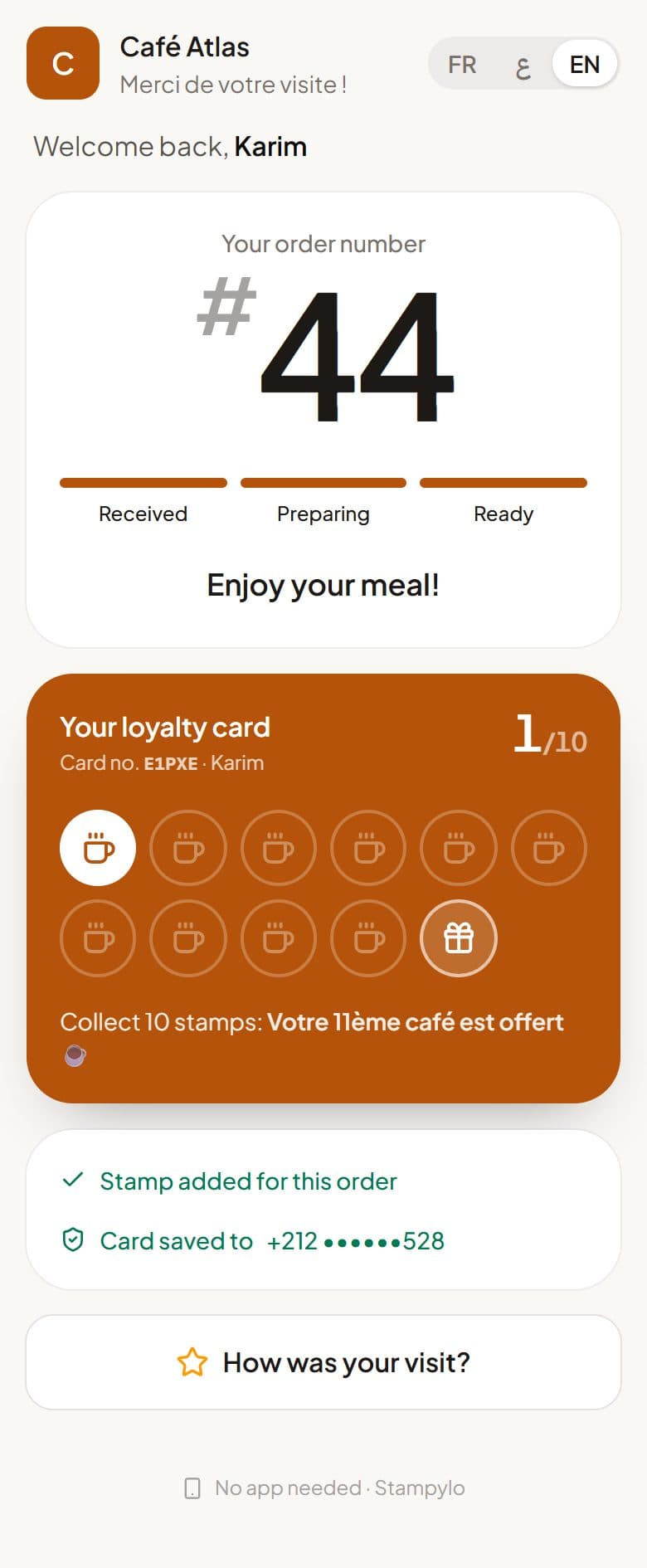
Stampylo is a separate tool that runs in the browser, with no app to install. The customer pays, scans the QR code at the counter and gets an order number. When the order is ready, you tap "Ready" on the cashier screen (or the kitchen screen, if you chose that) and a stamp is added to their card. The customer saves the card with one WhatsApp message and can add it to Google Wallet.
- One WhatsApp "order ready" message for a customer whose card is saved on WhatsApp.
- An automatic reminder to customers who stopped coming. They can stop messages any time.
- Offers only to customers who accepted marketing messages, at most one a week, bought as credit packs.
- An optional birthday gift: we only ask for the day and month.
- A stamp only when the order is confirmed Ready, never without a real order.
Limits to know before you start
Better to know them now than to find out at the counter.
- Apple Wallet is not available yet. Google Wallet is.
- On iPhone, the ticket page rings only while it stays open on screen.
- No link to your till software, no online ordering, no SMS.
- In Morocco, Law 09-08 (art. 10) and the CNDP practical sheet on direct marketing require the customer's prior consent before any electronic promotional message, including by a technology of the same nature, and a declaration of this processing to the CNDP. The customer can object at no cost. Source: CNDP Prospection sheet, cndp.ma (checked 2026-10-23). This guide is not legal advice.
- Stampylo price: MAD 149 per month, MAD 399 for 3 months or MAD 1,490 per year, after a 14-day free trial with no card. Payment by bank transfer from the dashboard or a prepaid activation code.
Questions
Is the WhatsApp Business app free?
Yes, the app is free. The WhatsApp API platform is the paid part, billed per message.
When does the greeting message go out?
When a new customer writes to you, or after 14 days with no messages in the chat (WhatsApp Help Center, checked 2026-10-23).
How many quick replies can I create?
WhatsApp sets a limit; check it in the app's help. For a café or snack, about ten replies is enough.
Do I need the WhatsApp API for a loyalty card?
No. With Stampylo, the customer saves the card with one WhatsApp message, and you don't need an API account.
Can I send promotions to all my contacts?
Only to those who agreed, and the processing must be declared to the CNDP (Law 09-08, art. 10; CNDP Prospection sheet, cndp.ma). In Stampylo, offers go only to customers who accepted marketing messages, at most one a week.
Does it work on iPhone?
Yes, in the browser. Apple Wallet is not available yet, and the ticket page rings only while it stays open on screen.
WhatsApp Business for restaurants: a free guide for your café or snack
Free trial14-day free trial, no credit card.