Choosing POS software for a café or snack
POS software for cafés in Morocco: how to choose well
Choosing POS software for cafés in Morocco means choosing the tool your team touches at every sale, from the first coffee of the morning to the last sandwich at night. A poor choice costs you every day: slow receipts, an internet cut that stops everything, figures your accountant cannot get out. This guide covers what a till does, the hardware you need, the questions to ask before signing, and a few real offers with the prices their vendors publish.
14-day free trial, no credit card.
| Need | POS software | Stampylo (next to the till) |
|---|---|---|
| Take payment and print the receipt | Yes, that is its job | No |
| Stock and Z report | Yes, depending on the plan | No |
| Tell the customer the order is ready | Depends on the plan | Yes, on their phone and on the TV |
| Stamp loyalty card | Depends on the plan | Yes, stamp added when the order is ready |
| Link between the two | No integration | The cashier can type the receipt number |
POS software for cafés in Morocco: what it is really for
A till records what is sold and paid. Everything else follows from that: stock, the day's figures, keeping an eye on staff. For a café or a snack, five functions matter.
- Sales: a button per product (black coffee, nous-nous, panini), options (no sugar, extra cheese) and controlled discounts.
- The receipt: printed or not, with the café's name, the items, the total and the payment method. It is also the customer's proof of purchase.
- Stock: each sale takes off the set quantities (grams of coffee, bread, cans), with an alert when an item is running low.
- End-of-day closing, often called the Z report: the day's total sales by payment method, after which the day is closed and can no longer be edited. It lets you count the drawer and spot a gap.
- Staff: a code per waiter or cashier, different rights (who can void a sale, who can give a discount) and each person's sales.
Cloud or installed software
Cloud software is usually paid monthly. You see your figures on your phone, updates arrive on their own, and swapping tablets is easy. In return you pay as long as you use it, and you need to check what happens when the internet drops.
Software installed on one machine is often paid once (a licence), sometimes with a maintenance contract. It runs without internet, but the figures stay on that machine unless something sends them elsewhere, and a broken machine becomes your problem.
Hardware: tablet, printer, cash drawer
For a small café, the minimum is a screen (a tablet or touch PC), a thermal printer for receipts and a cash drawer that opens on payment. A snack often adds a kitchen printer or screen. A card reader helps if your customers pay by card.
As a guide, here are prices two Moroccan sellers publish on their own sites, checked on 26 October 2026. Caisse212 (caisse212.com) lists from 4,500 DH for a tablet with stand, 1,200 DH for a thermal printer, 500 DH for a cash drawer and 2,300 DH for a card and QR payment reader. Sagatec (sagatec.ma) lists 875 to 950 MAD excl. VAT for a cash drawer, 1,400 to 2,400 MAD excl. VAT for a receipt printer, and a full restaurant pack at 10,500 MAD excl. VAT.
Before buying hardware, ask for the list of models that work with the software. A cheap printer the software does not recognise is useless.
What to check before you sign
- Languages: the screen in French and, if your team prefers, in Arabic. Check the language of the printed receipt too, as it is not always the same setting.
- Support in Morocco: a number or WhatsApp that answers during your hours, including evenings and weekends. Ask who comes on site if the machine breaks down.
- Offline mode: turn off the wifi during the trial and ring up three sales. They should go through, then upload when the connection is back. Do this test during a real rush.
- Export: getting sales and the end-of-day closing out as a file (Excel or CSV) for your accountant, without paying for an extra module.
- The real price: excluding or including VAT, commitment or not, paid modules on top (kitchen screen, advanced stock, staff), setup fees.
- Your data: if you stop the subscription, can you get back your sales history and product list?
A few offers, prices checked on 26 October 2026
The prices below come only from the vendors' own sites, checked on 26 October 2026. They can change, so confirm before buying. This list is not a ranking and we have no link with these vendors.
- Loyverse (loyverse.com), an international vendor: the POS app is free. Paid options listed: employee management at 5 US dollars per employee per month, advanced inventory at 25 US dollars per store per month. The site says sales keep recording offline. Support in Morocco: not stated.
- QuickCom (quickcom.ma, Casablanca): Essentiel 199 DH excl. VAT per month, Pro 299 DH excl. VAT, Performance 399 DH excl. VAT. 14-day trial without a bank card, offline mode included, support in French and Arabic. Hardware optional.
- Caisse212 (caisse212.com): free demo for one month, Pro 199 DH per month, Business 399 DH per month (the site does not say whether VAT is included). Kitchen screen module at 99 DH per month. The site says sales continue without a connection.
- Sagatec (sagatec.ma): software installed on the machine, which works offline according to the site. Lifetime licence from 2,500 DH, or a subscription from 150 DH per month.
- For large chains and vendors who do not publish prices, expect a price on quote: ask for it in writing, with hardware and installation itemised.
Stampylo is not a till, it runs next to one
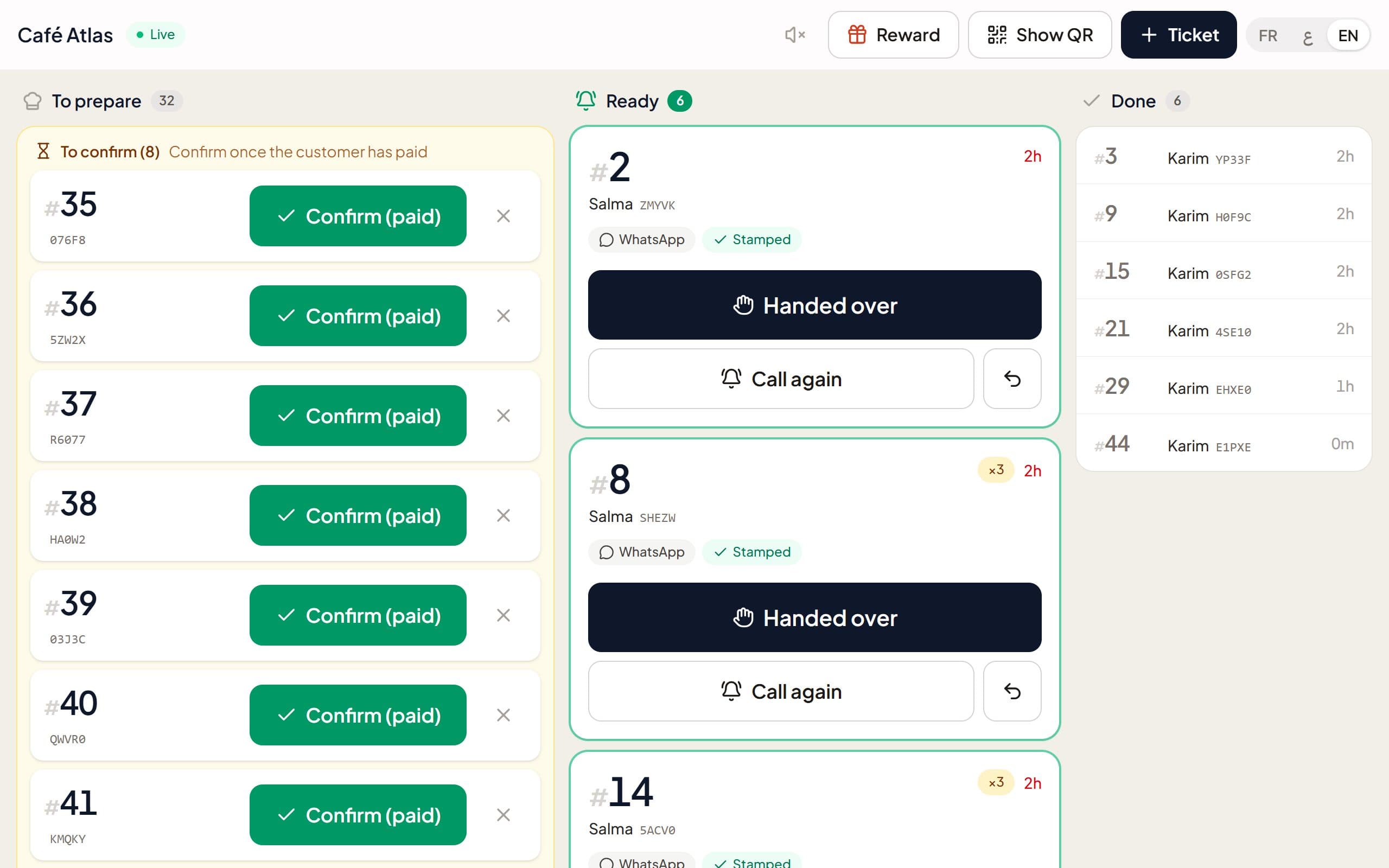
Stampylo does not replace your POS software and does not connect to it: it takes no payments, prints no receipts, handles no stock or Z report, and has no integration with any POS. It handles what happens after payment: the order number on the customer's phone, the TV screen with ready orders, the digital stamp loyalty card and WhatsApp messages.
So it works with any till, even a paper one. The customer pays at your usual till, then scans the counter QR code. Order numbers can follow your till: the cashier types the receipt number, or Stampylo starts from your first number of the day. On the Stampylo cashier screen, opened on a tablet or phone, the cashier taps "Ready" when the order is ready. There is nothing extra to buy. The price is MAD 149 per month, with a 14-day free trial and no card.
Getting the new till running smoothly
- Set up products and prices before day one, with the most requested options.
- Train the team one hour before opening, on test sales you void afterwards.
- Keep the old method at hand for the first week, just in case.
- Each evening, compare the end-of-day closing with the cash counted in the drawer.
Questions
What is the best POS software for a café in Morocco?
The one that works offline, that your team understands in minutes, with support that answers during your hours and a simple export for your accountant. Try at least two offers during a real rush before choosing.
How much does POS software cost in Morocco?
According to the vendors' sites checked on 26 October 2026, from free (Loyverse, with paid options) to about 150 to 400 DH per month for Moroccan offers, or a licence from 2,500 DH at Sagatec. Hardware is extra.
Can Stampylo replace my till?
No. Stampylo takes no payments and has no integration with any POS. It runs next to any till: the cashier can type the receipt number as the order number.
POS software for cafés in Morocco: how to choose well
Free trial14-day free trial, no credit card.